See Your Card Spending Before It Clears
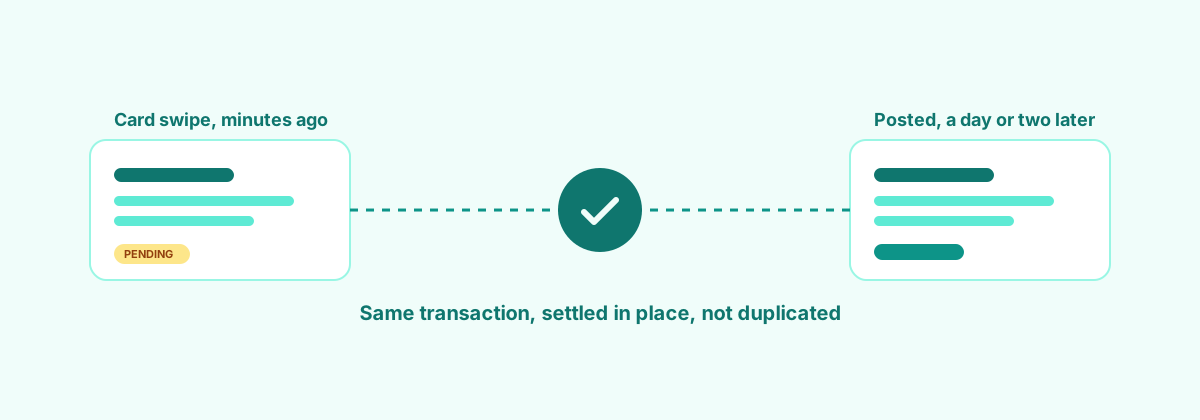
Ever swipe a card, then check your books and it's nowhere to be seen? That's not FinchKeep being slow, it's your bank. Most feeds only hand over a transaction once it's fully posted, which can take a day or two. In the meantime your balance in FinchKeep looks wrong even though nothing's actually wrong.
We fixed that.
Pending transactions, an hour after they happen
If your bank supports it through Akahu, FinchKeep now checks for pending card transactions every hour, not just the posted ones. Swipe your card at lunch and it can show up in FinchKeep that afternoon, tagged as pending, instead of showing up two days later once the statement catches up.
Works on both debit and credit cards.
No duplicates when it settles
Here's the part that usually goes wrong with pending transactions: the bank eventually posts the "real" version, and now you've got two entries for one purchase. FinchKeep matches the posted transaction back to the pending one it already imported and settles it in place. One transaction, updated, not doubled.
You're in control of it
This isn't switched on and left to do whatever it wants. There's a toggle per account, so you choose which ones pull in pending transactions and which don't. If you'd rather not see pending amounts at all, leave it off and everything works exactly as it did before.
Not keen on a particular pattern showing up automatically? Mapping rules and exclusions let you say "don't bother importing that one" without turning the whole thing off.
Where it's at right now
Pending import is rolling out gradually rather than flipping on for everyone at once, so it might not be live on your account yet. If it's not, you'll just keep seeing transactions the old way until it is.
Less "why doesn't this match the bank app" moments, more knowing where you actually stand. That's the goal.